Managing Expected Arrivals for Automatic Date Roll
This section enables the user to determine what action to take for any remaining arrivals.
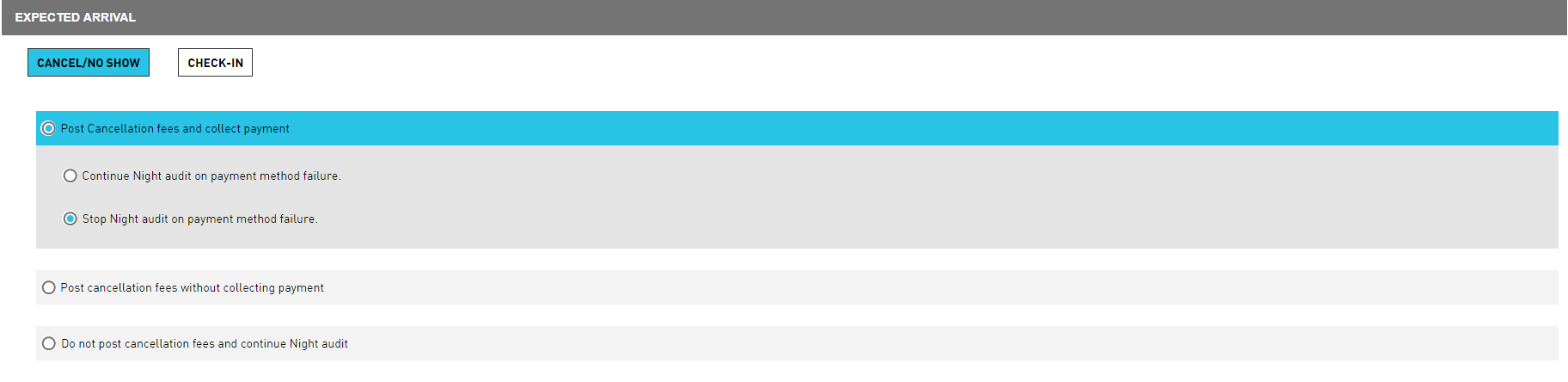
Cancel / No-Show
Refer to the following table and fill in the fields to mark the arrival as no show or cancel:
|
Field |
Description |
|---|---|
|
Post Cancellation fees and collect payment |
If this option is selected, the user must also choose either Continue Night audit on payment method failure or Stop Night audit on payment method failure. |
|
Post cancellation fees without collecting payment |
If this option is selected, any cancellation fees will post without trying to collect payment. |
|
Do not post cancellation fees and continue Auto Date Roll |
If this option is selected, cancellation fees will not be charged, remaining arrivals will be marked as No Show, and date roll will continue. |
Check-In
Refer to the following table and fill in the fields to mark the arrival as checked-in:
|
Field |
Description |
|---|---|
|
Continue Auto Date Roll on check-in with CC Auth failure |
If this option is selected, remaining arrivals will be checked in even if there are credit card auth failures. |
|
Stop Auto Date Roll on check-in with CC Auth failure |
If this option is selected, remaining arrivals will be checked in unless there is a credit card auth failure, in which case date roll will stop. |